
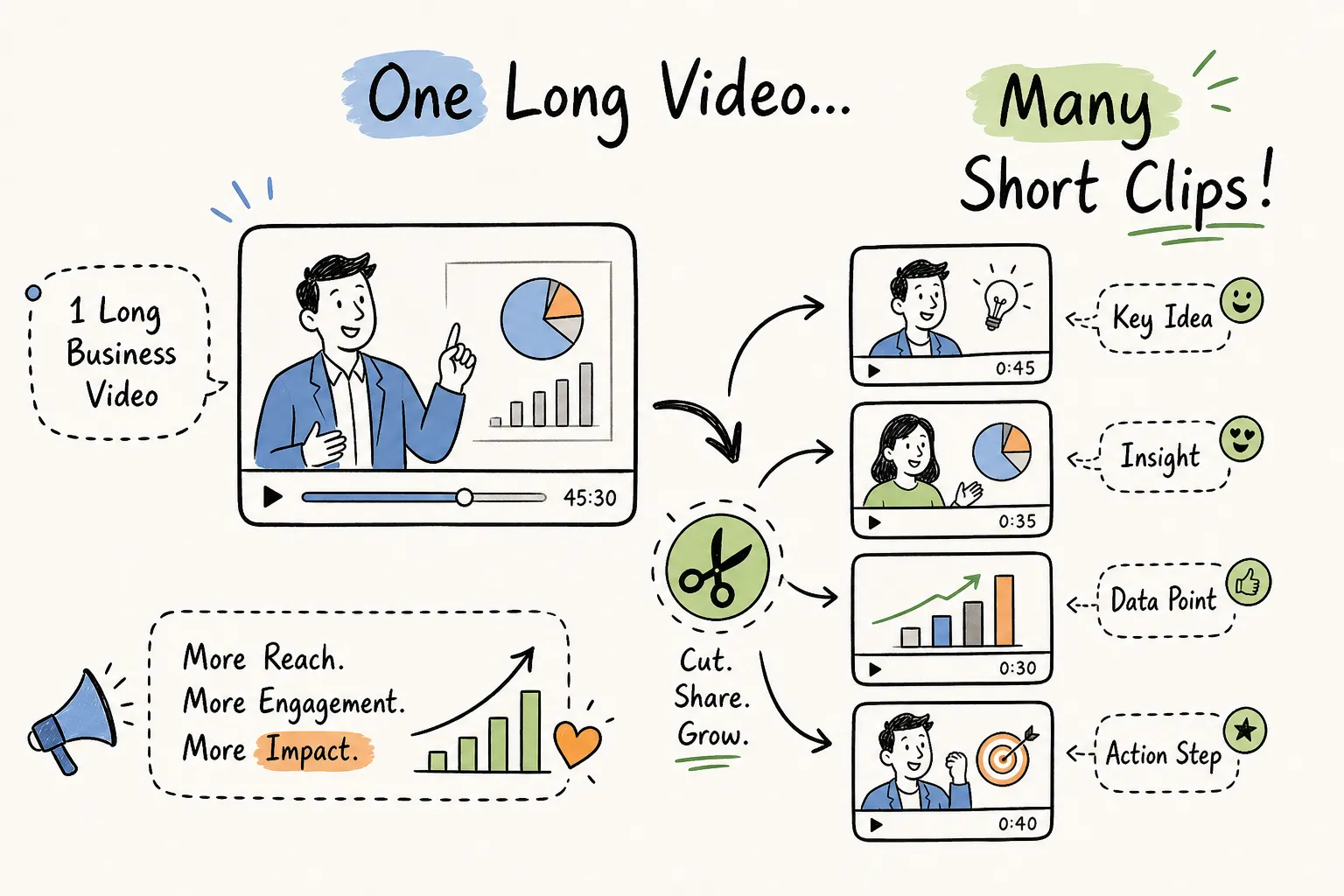
Making short clips from a long video starts with recognising what you already have. Many businesses film a solid 10 to 20 minute video, post it once, watch the views plateau, and then spend the following week wondering what to post next. The clips were always there. A well-filmed long-form video is a content library waiting to be opened, not a single asset to be published and forgotten.
Creating short clips from a long video is not just about pressing cut in a few places. It is a deliberate workflow: identifying the right moments, choosing the right tool, formatting for each platform, and leading with a hook that earns the viewer’s attention before they scroll past. The businesses that do this consistently, and the production companies they work with, plan for clipping from the first day of filming, not as an afterthought in the edit suite.
By the end of this guide, you will have a repeatable system: which moments to clip, which AI tools suit your volume and language needs, and exactly how to format each clip for Reels, Shorts, and TikTok.
Why one long video can fuel weeks of social content
The content multiplier effect in practice
A single 15 to 20 minute video, well structured, can yield between 8 and 15 usable short clips depending on pacing and topic variety. According to industry benchmarks from content marketing research, brands that repurpose consistently report 2x to 3x growth in reach and engagement, with incremental reach improving by around 35% without a proportional increase in production cost, though results vary by sector and publishing cadence. That reframes repurposing from a nice-to-have into a clear return on investment argument.
What completion data tells us
A Wistia analysis of 1.2 million business videos found that clips under 60 seconds had a 2.5x higher completion rate than videos in the 5 to 10 minute range. Completion rate is a platform recommendation signal across YouTube, TikTok, and Instagram. Short clips converted from long-form footage do not just reach more people; they are more likely to be pushed by the algorithm because viewers actually finish them.
Repurposing versus creating from scratch
Scripting, filming, and editing a fresh short-form clip from scratch typically takes several hours. Extracting one from footage that already exists can take a fraction of that time with the right workflow. The messaging stays consistent across formats, and the production quality is already there. The logic is straightforward: one filming day, structured correctly, can fill a social content calendar for a month.
How to find the short clips worth cutting from a long video
Skipping this step is why most repurposed clips feel random or disjointed. Running a clip identification pass before opening any AI clip maker saves time and produces better results.
Spotting the naturally quotable moments
A strong clip has a clear beginning and end without relying on what came before it. Look for a single direct answer to a question, a strong opinion stated plainly, a surprising statistic, or a short story with a setup and a payoff. Most AI tools generate a transcript automatically; scanning that transcript to flag these moments takes a fraction of the time it would take to scrub through the full video timeline.
Matching clip moments to platform intent
Not every strong moment suits every platform. A 45-second explanation with a clear setup might work well for YouTube Shorts but feel too slow for TikTok. A quick stat reveal works anywhere. Before cutting anything, decide which platform each moment is destined for, and let that decision guide where you trim.
Manual review versus AI highlight detection
AI auto-highlight extractors are fast, but they flag high-energy audio or dense speech patterns, not necessarily the most useful moments. They also miss context: a moment that sounds energetic in isolation may be meaningless without the 10 seconds that preceded it. A two-pass approach works well: run the tool first to generate a shortlist, then review manually to catch false positives and rescue the quieter but genuinely strong moments the algorithm overlooked.
The best AI tools for creating short clips from long videos
The tool market has matured quickly. There are now several solid options for long-form video repurposing, each with a different strength depending on your volume, language needs, and budget.
Tools with auto-highlight detection and captions
Vizard is a strong all-round option for business use. It includes auto-highlight detection, subtitle generation, and caption translation across 100-plus languages. The Creator plan removes watermarks and upgrades exports to 4K, making it well suited to teams producing regular content across multiple platforms. The free tier is watermarked and limited to 720p, but it is a reasonable way to test the workflow before committing.
VEED supports subtitles in over 125 languages and handles multi-platform content libraries in bulk, which makes it a strong choice for businesses operating across different regions.
Choppity includes AI clip generation, speaker tracking, automatic transcription, and platform framing for 9:16, 1:1, and 16:9 formats. Its free tier allows clip generation but locks downloads to paid plans; pricing starts from around $13 per month (approximately £10 at current exchange rates, check the Choppity website for up-to-date GBP pricing).
CapCut remains a popular free option with auto-cut and automatic captions, particularly for solo creators comfortable with a mobile-first workflow.
Wisecut targets high-impact moments in talking-head footage and generates subtitles automatically, making it a practical choice for interview-style business videos.
Batch processing and multi-language options
For businesses producing content across regions or in multiple languages, Vizard and VEED are the strongest options. Vizard has translation built into the platform, while VEED’s 125-plus language caption support covers most global use cases. OpenClip also supports batch processing, which is worth investigating if you are converting a large archive of webinars or recorded presentations.
Free versus paid tiers: what you actually get
Free tiers on most AI clip makers limit exports, add watermarks, or cap the number of clips you can produce each month. For regular business use, paid plans across the major tools typically range from around $13 to $30 per month depending on the platform and billing cadence, check each vendor’s pricing page for current figures. Put that against the day-rate cost of a freelance video editor for the same output and the paid plan becomes difficult to argue against.
Platform formatting: the right length, ratio, and caption style
Clip length sweet spots for 2026
Treat clip length as a decision based on what the content needs to deliver, rather than chasing a single universal number. Here is a practical breakdown:
- Under 15 seconds, punchlines, single stats, and quick reveals
- 15 to 30 seconds, one tip, one answer, or one transformation
- 30 to 45 seconds, tutorials, demos, and commentary that needs a setup and a payoff
- Over 45 seconds, only when every second earns its place
YouTube Shorts performs especially well at 20 to 45 seconds. TikTok and Instagram Reels both reward 15 to 45 seconds, with TikTok more tolerant of slightly longer clips when pacing stays tight throughout.
Aspect ratio and export settings
All three platforms are built for 9:16 vertical video at 1080×1920. Anything wider reduces screen fill on mobile and hurts completion rates because the viewer is not getting a full-screen experience. Export at the highest quality the tool allows; most AI clip makers default to the best available setting, but it is worth confirming before a bulk export.
Caption style that stops the scroll
Large, high-contrast text on short lines is non-negotiable. Captions need to reinforce key points, clarify the spoken audio, and surface the critical word or number, ideally all three. Avoid small subtitle blocks sitting at the bottom of the frame. They are hard to read on mobile and signal that captions were an afterthought rather than a deliberate part of the content design.
Opening hooks: the first three seconds decide everything
Hooks are one of the most important levers on completion rate and frequently the most ignored part of clip editing. Getting the first three seconds right can make the difference between a clip that travels and one that stalls.
What a strong hook actually looks like
The opening frame needs to deliver the payoff, the conflict, or the most surprising element immediately. Phrases like “here’s a quick overview of what we’re going to cover today” or “I just wanted to share some thoughts on” burn the only seconds that matter. The result, the question, or the strongest visual goes first, every time.
Practical hook formats that work across platforms
Consider leading with the result: “We cut our client’s content spend by 40% doing this.” It works because the viewer immediately knows what they stand to gain. From there, the conflict hook, “Most businesses get this completely wrong”, and the question hook, “Want three months of social content from one filming day?”, both earn attention through curiosity rather than platform mechanics. The format that matches your clip’s strongest moment is the one to use. There is no hierarchy; there is only what fits the footage.
Why the repurposing strategy starts before you film, not after
The edit suite is too late to start planning
Footage filmed without repurposing in mind is harder to clip cleanly. Without clear pauses between topics, distinct sections, and enough reaction shots, even the best AI clipping tool will struggle to produce clean standalone content. The raw material has to be structured with clips in mind from the moment filming begins.
How production companies build this into the shoot
At This Video Works, a repurposing brief is part of the pre-production planning process. The filming style, the question prompts, and the pacing between topics are all designed so that the long-form video edits into a defined set of short clips without additional studio time. Clients leave a single shoot with a full content suite: a long-form anchor video, platform-formatted short clips, and captioned, ready-to-post versions for each channel.
What to brief your production partner before the shoot
If you are working with an external production company, get clear answers to these questions before day one: How will the filming structure support short-form clipping? Will captions be produced as part of the edit? Will clips be exported in platform-specific formats? Asking these questions turns a one-video shoot into a content strategy that keeps working.
Putting the workflow into practice
The system is straightforward once you run it end to end. Scan your transcript to identify the moments that stand alone without context, then pick an AI clip maker that matches your volume, language needs, and budget.
From there, apply the platform formatting specs: 9:16 at 1080×1920 for all three platforms, 15 to 45 seconds as your working range, and large high-contrast captions throughout. Lead every clip with a hook that puts the result, the conflict, or the question first.
The biggest gains come from planning the repurposing before filming, not retrofitting it in the edit. Businesses that treat every shoot as a content library, not a single video, stretch their production budget further and stay visible across platforms without constantly returning to the camera.
Go back and watch your last long-form recording with fresh eyes. There is a good chance it already contains the short clips from your long video that your audience has been waiting to see.