
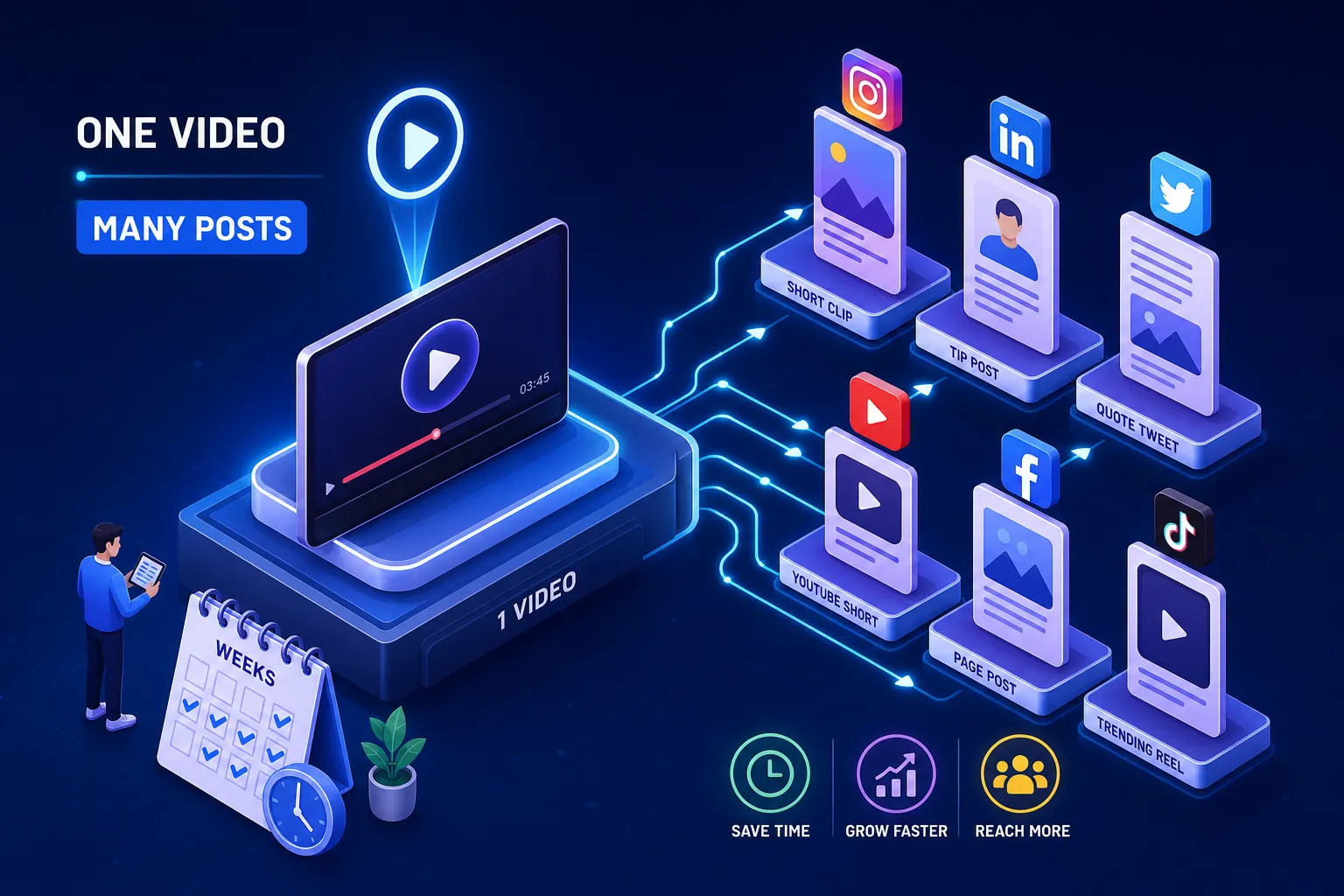
How do you turn one business video into multiple pieces of content for social media, and keep publishing for weeks without touching a camera again? It’s a question many business owners never think to ask. Most film a video, post it once, and move on. Hours of planning, a full shoot day, editing time, and the content lives and dies in a single upload. That’s not a content problem; it’s a workflow problem.
One well-filmed business video can be broken into 12 to 15 distinct social assets, covering weeks of publishing without a second shoot. Short clips for Reels and Shorts, carousels for LinkedIn, quote cards for Instagram, blog excerpts for your website, email paragraphs for your newsletter, all from a single recording session.
This guide gives you a practical, step-by-step repurposing workflow: how to film the right way, extract clips, produce static assets, format for each platform, schedule consistently, and track what actually works. By the end, you’ll have a repeatable system you can run every time you produce a video.
Why one video is all you need to fuel a month of content
The hero video strategy in plain English
The hero video strategy is straightforward: film one long-form anchor piece, designed with repurposing in mind from the start, and it feeds every other content format you need. A 20 to 60 minute recorded interview or talking-head session can realistically yield 3 to 7 short clips, 2 to 3 carousels, 3 to 5 quote posts, and 1 to 2 written assets such as a blog excerpt or email newsletter. That’s 12 to 15 distinct pieces from a single recording session, enough to cover four to six weeks of consistent posting across two or three platforms.
The maths works because social content doesn’t need to be new footage. It needs to be the right idea, packaged for the right format. A 45-second clip cut from a longer interview and a quote card pulled from the same transcript are two completely different pieces of content, even though they came from the same five minutes of footage. This approach, sometimes called content atomisation, is what separates businesses that publish consistently from those that scramble for ideas every week.
Why most business videos get wasted
Many businesses film once, publish once, and never return to the footage. The problem isn’t the content itself; it’s the complete absence of a repurposing plan before the shoot begins. When repurposing is an afterthought, the raw footage rarely has the clean audio, natural pause points, or modular structure needed to produce usable clips without expensive re-editing.
The fix isn’t complicated, but it does require a different mindset going into the shoot. You need to plan for outputs before you press record, not after.
How to film a hero video that’s built to be repurposed
The shoot-day checklist that gives editors what they need
Four essentials make footage repurpose-ready:
- Clean audio monitored through headphones throughout the shoot, room noise and clipping are almost impossible to fix in post without expensive tools.
- Consistent lighting that survives aspect-ratio cropping, so faces don’t fall into shadow when you reframe from 16:9 to 9:16 vertical.
- A mix of wide, medium, and close-up shots so your editor has visual variety for different clip lengths.
- Natural pause points between ideas where an editor can cut without losing the meaning of what’s being said.
Film multiple takes of key messages so the edit has options for the 30-second, 60-second, and 90-second cuts. Use topic prompts rather than full scripts so responses feel natural and produce genuine soundbites rather than stiff, rehearsed delivery. Plan B-roll coverage well beyond what the main hero edit needs, because repurposed clips almost always demand more visual material than the master cut.
Why the repurposing plan should come before the camera rolls
At This Video Works, the multi-asset content plan is built into pre-production, so clients leave a single shoot with weeks of content mapped out and ready for editing. This isn’t an add-on. It’s the starting point.
The practical takeaway for any business is to define your deliverables before the shoot day and build the shot list to serve those outputs. Your minimum practical deliverables should be: one hero master, one 30-second cut, one 60-second cut, vertical and square crops, and a library of B-roll clips. If your shot list doesn’t account for all of those, you’ll pay for it in the edit.
How to turn one business video into multiple social posts: steps 1 and 2
How to identify your strongest 30 to 90 second moments
After filming, watch the full recording with a transcript alongside and mark any moment that delivers one complete, standalone idea, a clear point with a beginning, middle, and end. Look for natural hooks in the first three to five seconds of each candidate clip: a surprising statement, a direct question, or a specific outcome. Viewers decide within the first couple of seconds whether to keep watching, so if the opening doesn’t grab attention immediately, the rest of the content doesn’t matter. Aim for five to eight candidate clips from a 20 to 60 minute recording; not every minute produces a usable short, so resist the urge to clip everything.
Batch transcription tools worth using in 2026
The practical tool stack for 2026 starts with transcription. NoteGPT handles free batch transcript extraction without requiring a sign-up. Descript is the strongest paid option for turning transcripts into publishable content inside one workspace. Amberscript and Transkriptor both produce timestamped subtitle exports cleanly. The workflow runs like this: transcribe first, identify clip windows in the text, then export those segments. This is significantly faster than scrubbing through video manually, and most tools export SRT or VTT caption files directly, saving a separate subtitling step later.
Turning the transcript into static and written assets: steps 3 and 4
Quote cards, carousels and blog excerpts from one source
With a transcript in hand, pull three to five standalone quotes, one strong sentence or two that works without video context, and build quote card images using Canva or Adobe Express templates. Keep the design simple: the quote, a clean background, and your brand name. For carousels, use a hook slide, three to five body slides each covering one point from the video, and a closing call-to-action slide. This format performs well on both LinkedIn and Instagram and can be produced relatively quickly from an existing transcript by an experienced team.
For a blog excerpt, take the core argument from the video, restructure it as a 300 to 500 word post with a clear heading and a video embed, and publish it on the business website for SEO value. This gives the video a second life in organic search and provides a destination to drive social traffic toward.
Email copy and LinkedIn posts in under an hour
The transcript also gives you the raw material for a weekly email paragraph. Extract the most useful insight, write a two-sentence context opener, drop in the insight as a quote or paraphrased point, and end with a link to the full video. LinkedIn text posts follow the same pattern: an opening hook pulled from the clip, three to five short sentences expanding the idea, and a question or call to action at the end to drive comments.
The asset count at this stage: 5 to 8 clips, 3 to 5 quote cards, 1 carousel, 1 blog excerpt, 1 email paragraph, 2 to 3 LinkedIn posts. That’s 12 to 15 assets from one recording session, the essence of batch content creation done properly.
Platform-specific formatting: step 5
Aspect ratios, lengths and safe zones by platform
The universal default export is 9:16 vertical at 1080×1920 px for Instagram Reels, TikTok, YouTube Shorts, Facebook Reels, and LinkedIn vertical video. Length targets differ by platform. Instagram Reels perform best under 90 seconds for most business content. TikTok’s sweet spot for strong completion rates is 15 to 60 seconds. YouTube Shorts work best at 60 seconds or under for the classic dedicated Shorts format, though the platform has extended support for longer vertical video in some contexts, treat 60 seconds as your conservative target. LinkedIn performs best at 30 to 90 seconds for business-focused clips.
Keep hooks, logos, and subtitles centred in the frame, and leave extra space at the bottom of every clip. UI overlays cover the lower portion of the screen on every platform, buttons, captions, and profile information all sit there. Any on-screen text must be large enough to read on a muted mobile screen, because a substantial proportion of social video is consumed without sound.
Caption rules that work across all channels
Burned-in subtitles are non-negotiable. Captions embedded directly in the video file support accessibility and are widely associated with improved watch time and completion, making your content usable for viewers with hearing impairments as well as those watching in silence. For post captions, front-load the first 125 characters with the core value point, Instagram truncates at around that length before the “read more” tap, and LinkedIn similarly rewards front-loaded value regardless of exact truncation. Keep hashtags to three to five relevant tags rather than a block of 20; many practitioners find that topical relevance outperforms hashtag volume for organic reach.
Scheduling, tracking and planning your next shoot: step 6
A simple four-week publishing calendar from one video
Map your 12 to 15 assets across four weeks: one short clip per platform per week, one static asset mid-week such as a quote card or carousel, and one written asset bookending the week such as a LinkedIn post or email paragraph. Use a scheduling tool, Buffer, Later, or Planable all work well for most SMEs, to batch-schedule all posts in one session. This keeps publishing consistent without requiring daily logins or last-minute scrambling. Consider staggering platform posting by a day or two rather than publishing everything on the same day, so the content rollout feels ongoing rather than a single burst.
The one metric that tells you what to repurpose next
Track completion rate above all other metrics for short clips: the percentage of viewers who watch past the first 15 seconds signals whether your hook and opening idea are landing. For static assets, track saves and shares rather than likes. Saves indicate the content is genuinely useful rather than just momentarily entertaining, and shares extend your reach without any additional spend.
After four weeks, look at which clip topic or asset format generated the most saves, shares, and comments. That data tells you exactly what to cover in your next hero video recording session. The repurposing workflow becomes self-improving over time, because each batch of content generates evidence for what the next batch should prioritise.
Turn one business video into multiple pieces of content, and make it a system
One well-filmed hero video, broken into clips, static assets, and written content using a structured process, gives a business 12 to 15 assets and four to six weeks of consistent social presence. That’s a meaningful return on a single shoot day, but only if the footage is built to support repurposing from the start.
Repurposing isn’t recycling old content. It’s getting full value from content you already paid to create. The footage exists; a sound repurposing workflow ensures it reaches every audience it could reasonably reach, in every format those audiences actually use. That’s how businesses answer the question of how to turn one business video into multiple pieces of content for social media, not by filming more, but by planning smarter.
The first step is planning the hero video shoot correctly, because the repurposing system only works when the raw footage is built for it from day one. If you want a production process where the repurposing strategy is baked in before the camera rolls, not bolted on afterwards, that’s exactly how This Video Works approaches every client shoot. Get in touch to talk through what a single hero video session could produce for your business.